
Until this week, if you wanted to know how your business shows up in ChatGPT, you had two options. Ask it yourself, or pay for an AI rank tracker to ask it for you. Either way you’re getting an outside read. A tracker runs a set list of prompts, usually signed out, and tells you whether you came up.
Your customers aren’t signed out though. ChatGPT can tailor its answers to someone’s past chats, memory and location, and the same question asked twice can come back different. So a tracker shows you a sample of what a stranger might see, not what your customers saw. That’s why the numbers jump around so much week to week.
Google’s Search Console is different because the data comes straight from Google. It’s shown AI impressions since June, and Bing counts citations in Copilot from its own side too. ChatGPT gave ordinary businesses nothing from the source until 10 November, when OpenAI launched Businesses in ChatGPT in beta. Its ChatGPT Business Hub gives you your own numbers for the first time.
It’s early and patchy outside the US, and it doesn’t show you the questions people asked. It’s still worth setting up if you can.
Content Overview
What’s in Business Hub
Business Hub sits in the ChatGPT sidebar, and it does three things.
- Claim your business. You search for your business, then verify it by phone, text, email, a DNS record on your domain or by connecting a Shopify store. Once you’re approved you can update your details and, if you sell online, add a product feed with current prices and stock.
- See your numbers. OpenAI says Business Hub shows the “number of mentions and website clicks a business receives”, plus discovery topics, which are the common themes across conversations where your website is cited. The dashboard shows profile views too.
- Run a Business Agent. This is a branded chat customers can open from your profile to ask about your products. It’s only open to eligible ecommerce and online service businesses in the US for now.
OpenAI says it doesn’t share people’s conversations with businesses. By its own count, ChatGPT now reaches 1.2 billion people a week.
Businesses in ChatGPT is an excellent answer to its Google counterpart, Google Business Profile, with growing concern in the world of digital marketing around AI search eating into existing organic and paid traffic channels.
For marketing teams, it helps clarify attribution, discover new ways clients are being found, and gives greater control over what information, links and products are shown on the profile. For businesses, it’s a way to reinforce correct business information by providing it directly, so all your online profiles and citations match.
Jakeb Munn
Senior SEO Specialist, Distl
What the numbers show you
The click count is the new bit. Google’s AI report in Search Console shows impressions in AI Overviews and AI Mode, with no clicks and no search terms. We went through it in how to turn the Search Console AI performance report into customers. Bing shows citations and a sample of the searches behind them, also without clicks. ChatGPT now gives you mentions and clicks, counted by the tool writing the answer. Unlike a rank tracker, that count comes from real conversations, personalisation and all. For an online business, a mention only counts when ChatGPT references your website. Your brand name on its own doesn’t count.
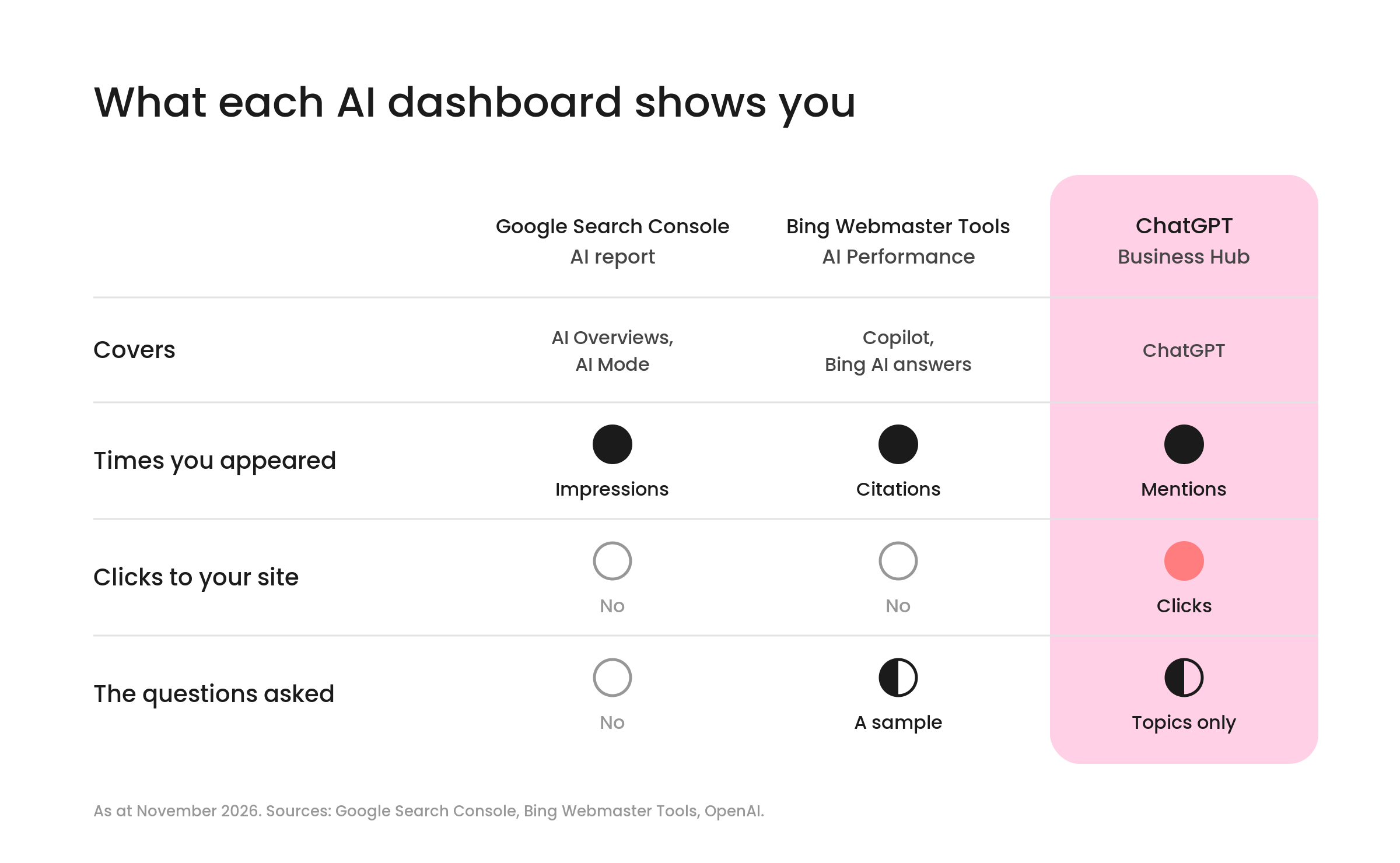
It doesn’t show you the questions though. There are no prompts, no conversations and no comparison with your competitors. Juozas Kaziukėnas, who spotted the feature before launch, said it “won’t help understanding why mentions/clicks are increasing or decreasing”. Next to tools that track prompts though, “it will show accurate first-party data if GEO/AEO strategies are working”. Working out why is most of what our generative engine optimisation work does.
Be careful reading too much into the clicks too. OpenAI’s own tooltip says “Clicks don’t confirm website visits or conversions.” And plenty of AI influence never shows up as a ChatGPT click. Similarweb data reported by PPC Land found 55.9% of AI-influenced visits arrived through search rather than straight from the AI tool. Someone reads about you in ChatGPT, then Googles your name, and that visit gets credited to Google.
If you judge your AI visibility on this click number alone, you’ll undersell it. Treat it as proof ChatGPT is using your site, then look at enquiries and branded searches to see whether it’s paying off. When we went through more than 100 GA4 properties, the default setup was missing about half the AI traffic, so check your analytics is set up to catch it as well.
Can Australian businesses use it yet?
Partly. OpenAI says eligible businesses “located wherever ChatGPT is available” can claim through Business Hub. It hasn’t named countries though, and its help docs say availability depends on the business’s location and type. Local stores and restaurants can currently claim only an existing US listing, while eligible online businesses may see an option to add themselves. When we tried to claim Distl, we were put on a waitlist.
If you run an online store or an online service business, try claiming now. If you’re a local business, like a dental clinic, a law firm or a tradie, you’ll probably have to wait. Until you can, ChatGPT keeps pulling what it knows about you from the rest of the web, so the matching details Jakeb mentions have to come from your website, Google Business Profile and directory listings.
Take your time with the claim. Verification can ask for government ID and business registration details. Once a profile is published, OpenAI says its support team can’t delete, unpublish or hide it, so check every detail before you hit submit. If an agency looks after your marketing, the business owner should claim it and add the agency as a teammate, rather than handing over a login. And claiming won’t lift you in ChatGPT’s answers on its own. OpenAI says claiming “doesn’t guarantee increased visibility or give you direct control over ChatGPT’s independent recommendations”.
How to sign up
We tried claiming Distl the day after launch, signed in to a free ChatGPT account. Here’s how it went.
1. Search for your business
Go to chatgpt.com/business-hub, or open Business Hub from the ChatGPT sidebar, and search for your business name. If ChatGPT already knows about you, your listing comes up with your address. Distl was already there.
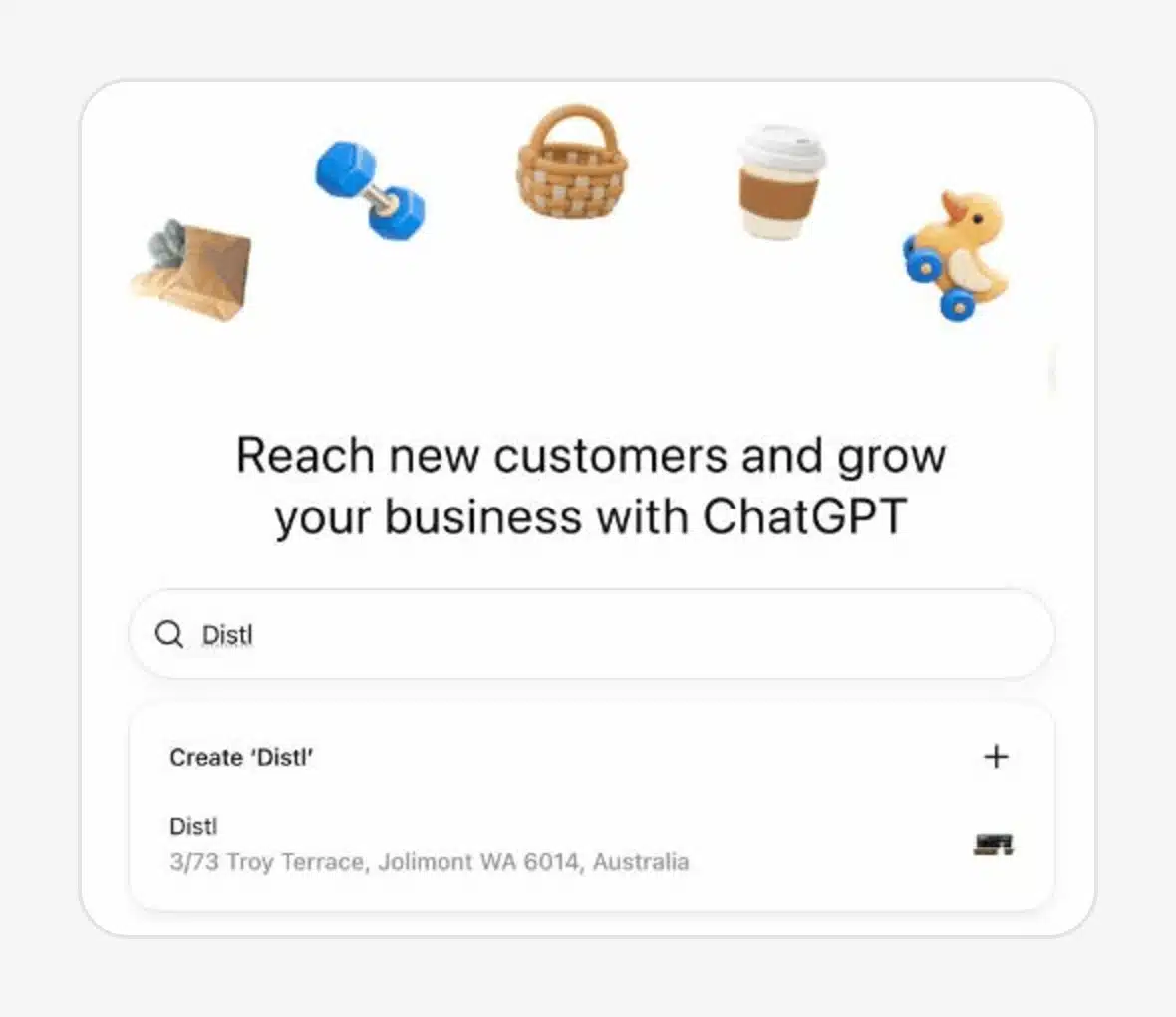
2. Claim your listing
Select your listing and hit Get started. You’ll need to prove you’re allowed to represent the business.
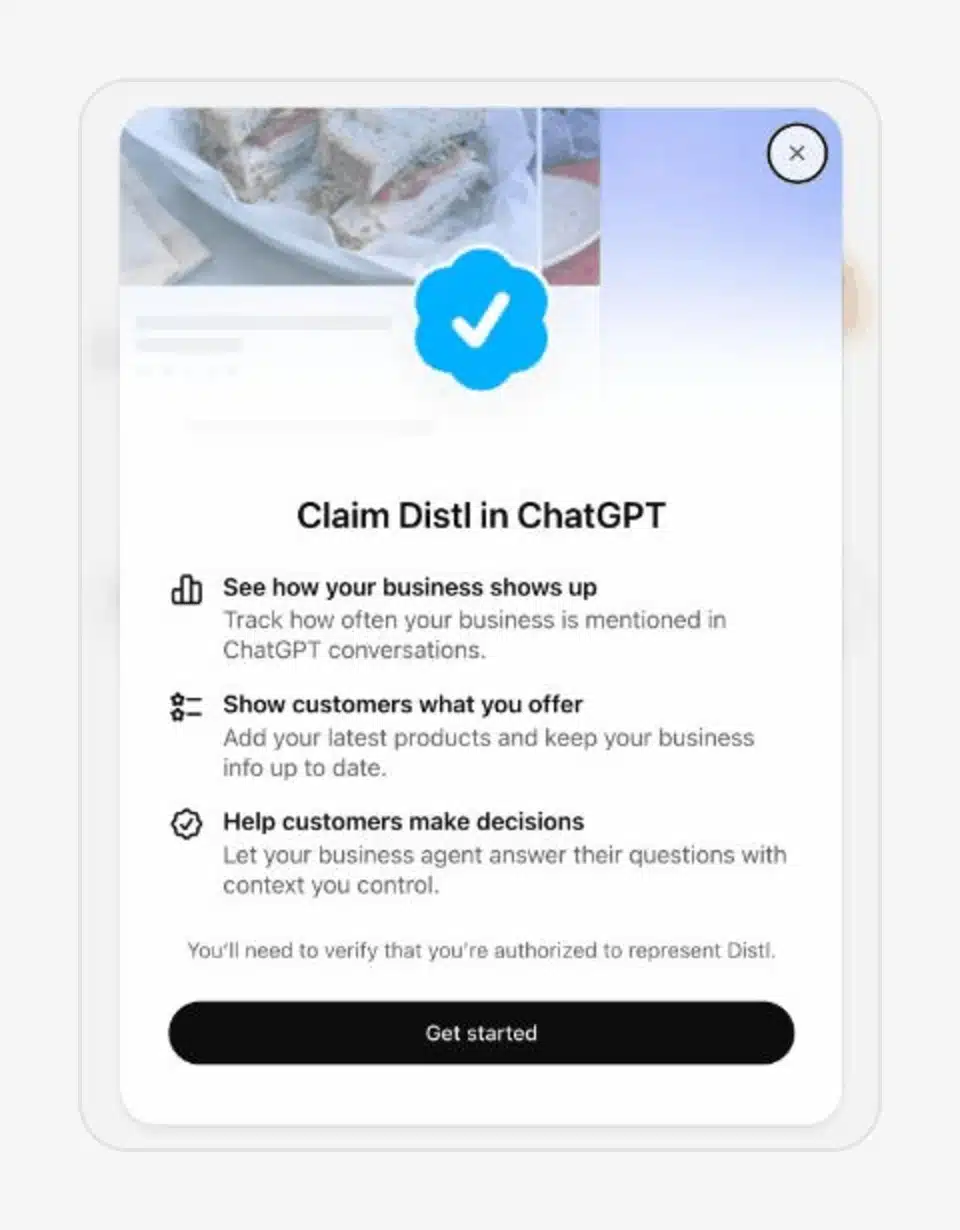
3. Verify, or join the waitlist
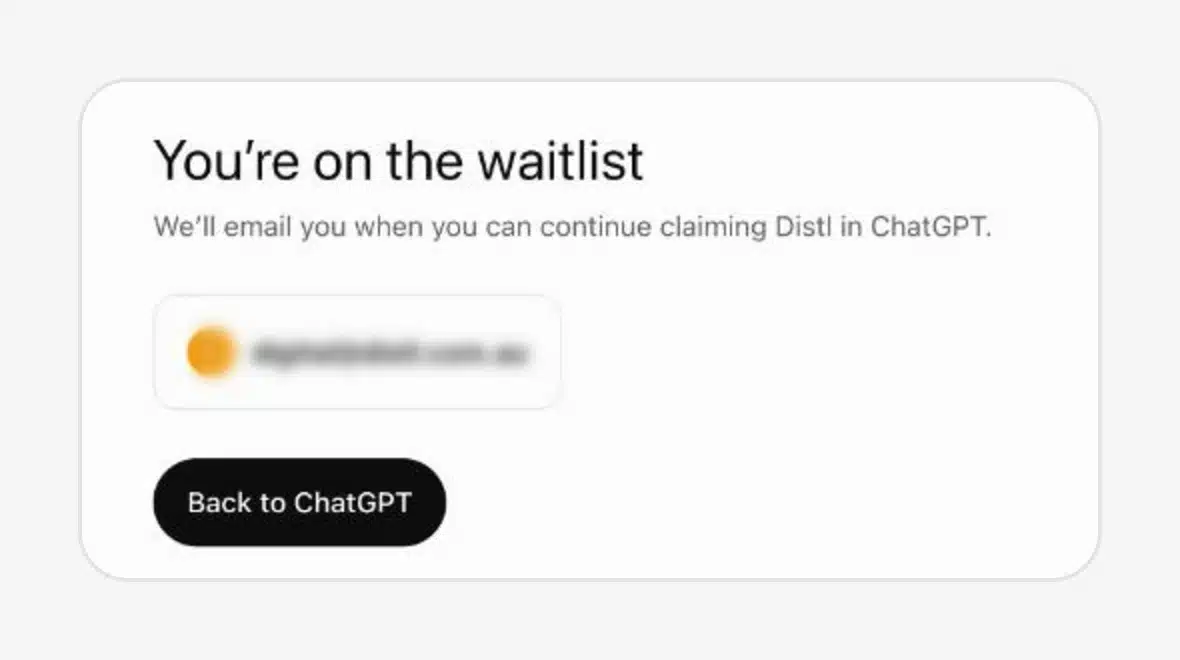
Next comes verification, by business phone, business email, a DNS record or Shopify, then an ID check through Persona. We didn’t get that far. Distl went straight to a waitlist, and OpenAI says it’ll email when we can keep going. We’ll update this post when it does.
4. If you’re not listed, add your business
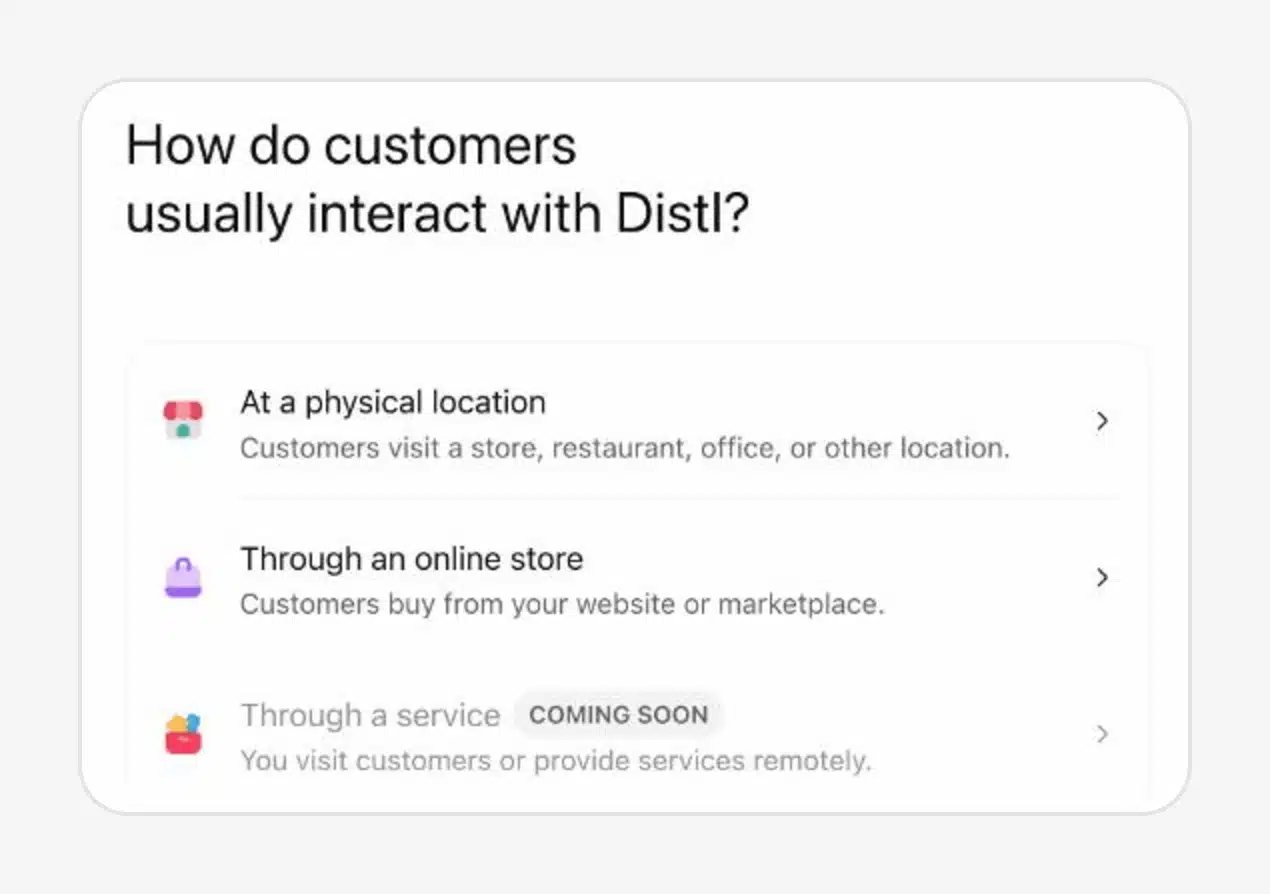
If your business doesn’t come up, choose Create. ChatGPT asks how customers usually deal with you: at a physical location, through an online store or through a service. The service option is marked coming soon, so agencies, trades and most professional services can’t add themselves yet.
What I’d do this week
- Write down what ChatGPT says about you now. Ask it the questions your customers ask, about your business, your category and how you compare, and save the answers with the date. Once you update your profile you can’t go back and see what it said before. Our guide to checking what AI is saying about your business walks you through it.
- Claim it, or get on the waitlist. If you can claim, start verification the same day, because nothing shows until you’re approved.
- Copy the numbers out each week. The dashboard covers the last 28 days, so if you want a trend you’ll have to keep the history yourself. A blank metric doesn’t mean zero either. OpenAI says it can mean there isn’t enough activity to report yet.
- Keep your other measures running. Search Console, Bing, your analytics and your prompt testing. Trackers are still the only way to see who gets named instead of you and what the answer says, so don’t bin them. Just stop reading their numbers as gospel. Business Hub tells you how often ChatGPT used your site. Your own testing tells you why.
I think this is a good thing. Outside a small group of publishing partners, it’s the first time ChatGPT has given businesses any numbers about its free answers, and I’d expect it to grow from here.
If you want help working out what ChatGPT and the other AI tools say about you, and why, let’s talk.
How this post was made
AI tools gathered OpenAI’s announcement and the first week of industry coverage, helped summarise it and drafted from my outline. I picked the angle, wrote the argument and made the final call on what went in. The product details were checked against OpenAI’s announcement, its help article on setting up your business and the screenshots published by Search Engine Roundtable. The step-by-step screenshots are from our own attempt to claim Distl on 11 November. Written by Jack Headford and signed off by Jakeb Munn.

Jakeb Munn
Senior SEO Specialist